
Case file 05Product design
Thrive
Gamifying financial goals for consistent growth.
Open in the office →The same case file, inside my interactive office
In shortA savings app that turns goals into habits: pick a goal, watch it near the finish line, and let a recurring plan do the saving.
- SSituation
- Saving feels like a burden because every deposit is a fresh decision.
- TTask
- In 2023 I led the design of Thrive, from the first user flows to the final visual system.
- AAction
- Onboarding starts with what you’re saving for, progress is shown loudly near the finish line, and a recurring plan does the depositing.
- RResult
- Delivered the product end to end, from first user flows to the final visual system, built on two proven behaviour patterns: the goal-gradient effect and automatic deposits. 200+ people tested it. They liked the saving experience, and what they liked most was that it would encourage them to save. It’s built to move the number that matters for a savings app: goals reached, not just accounts opened.
- Client
- Thrive
- Category
- Mobile app
- Role
- Product designer, from user flows to the visual system
- Timeline
- 2023
- Platform
- Mobile app
Saving feels like a burden because every deposit is a fresh decision. Thrive takes that decision away. I led the design from the first user flows to the final visual system. I built it on two behavioural ideas: show progress so people want to finish, and automate the deposit so they never have to choose again.
SStage 1Situation
TStage 2Task: my part
01My part
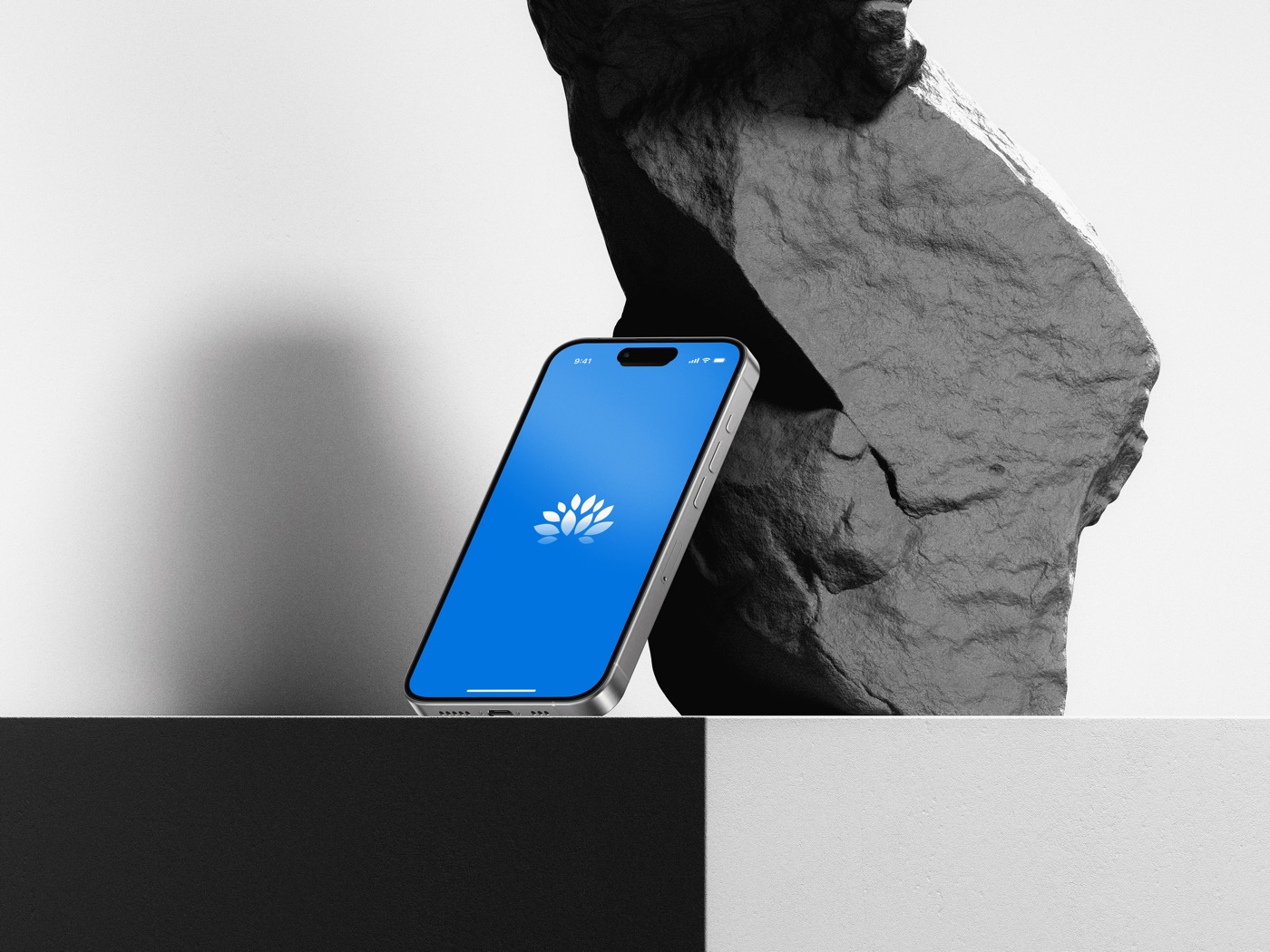
In 2023 I led the design, from the first user flows to the final visual system.
AStage 3Action: the decisions
02Decision 1 · Start with what you’re saving for
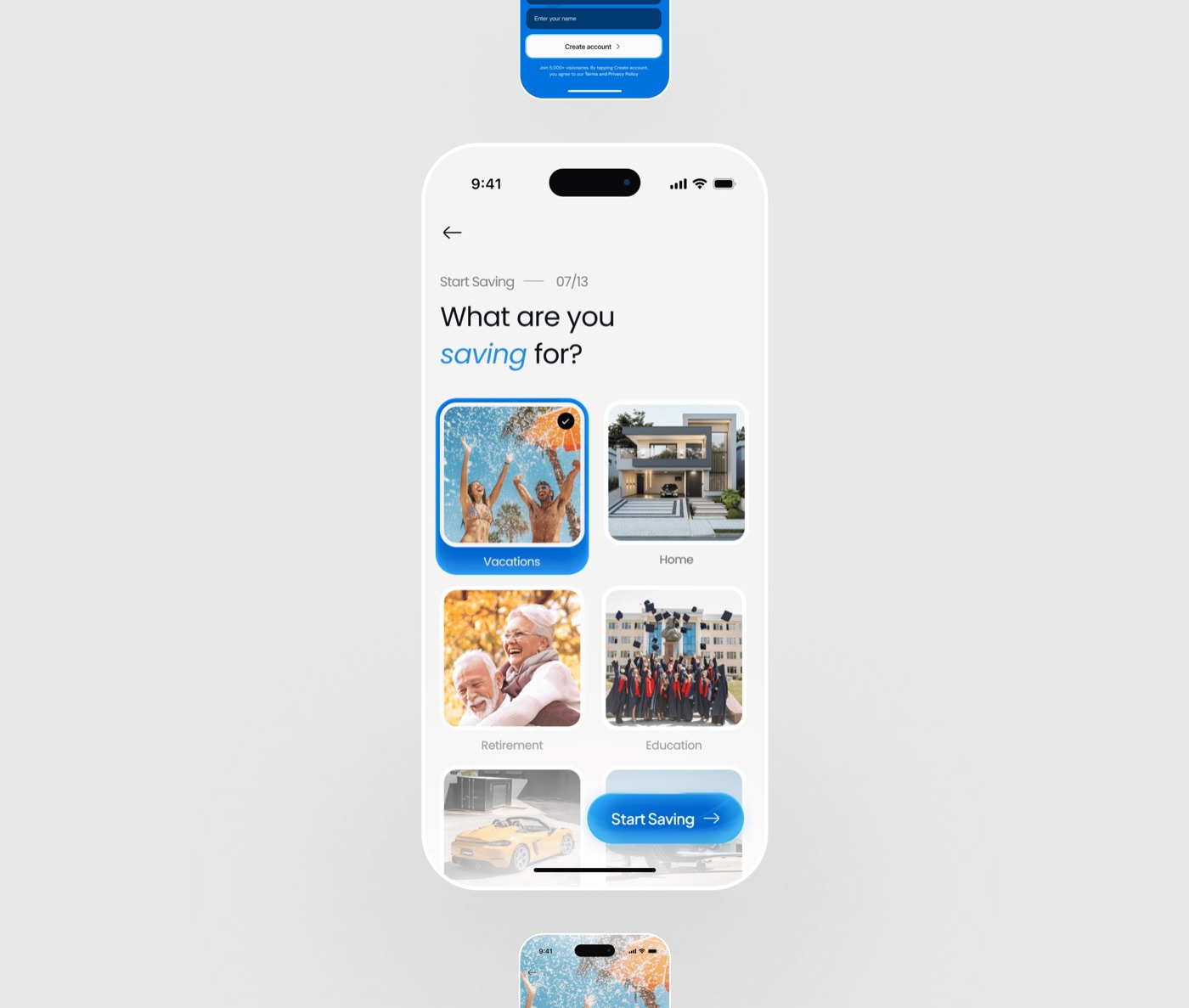
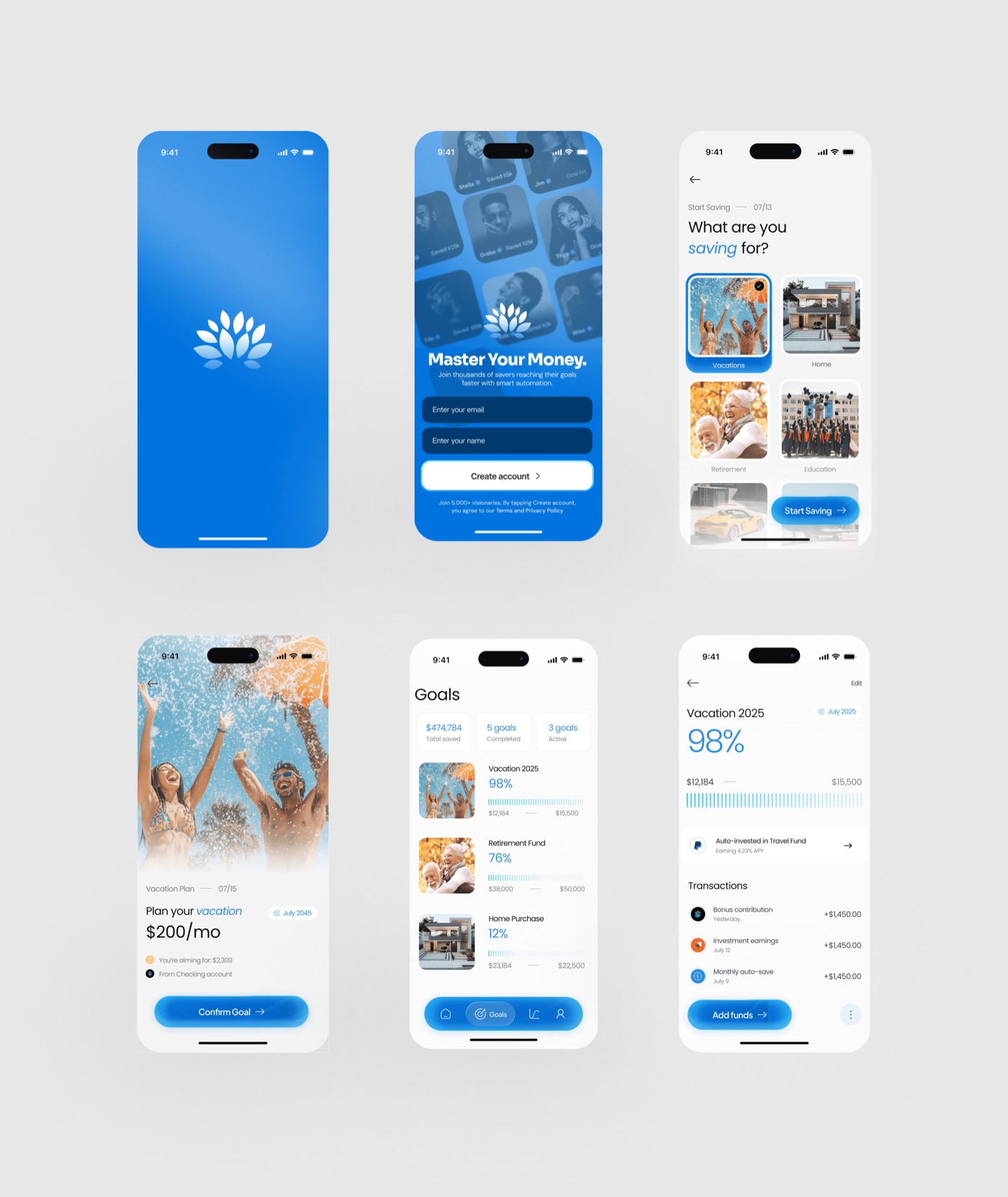
Onboarding opens with a question, not a form: what are you saving for? Each goal is a photo, such as a holiday, a home, retirement or education. You pick the thing itself, not a category name.
03Decision 2 · Make the finish line loud
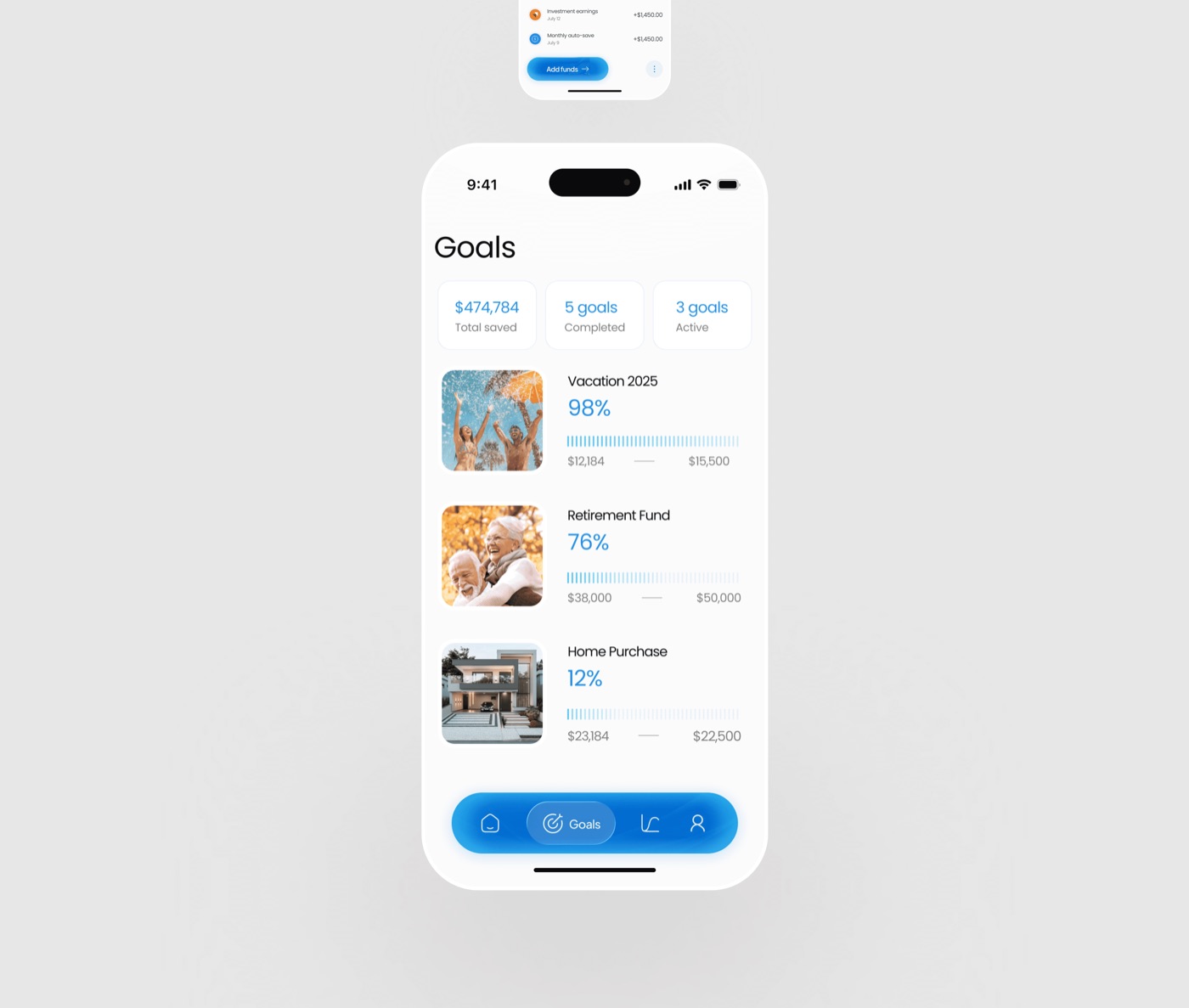
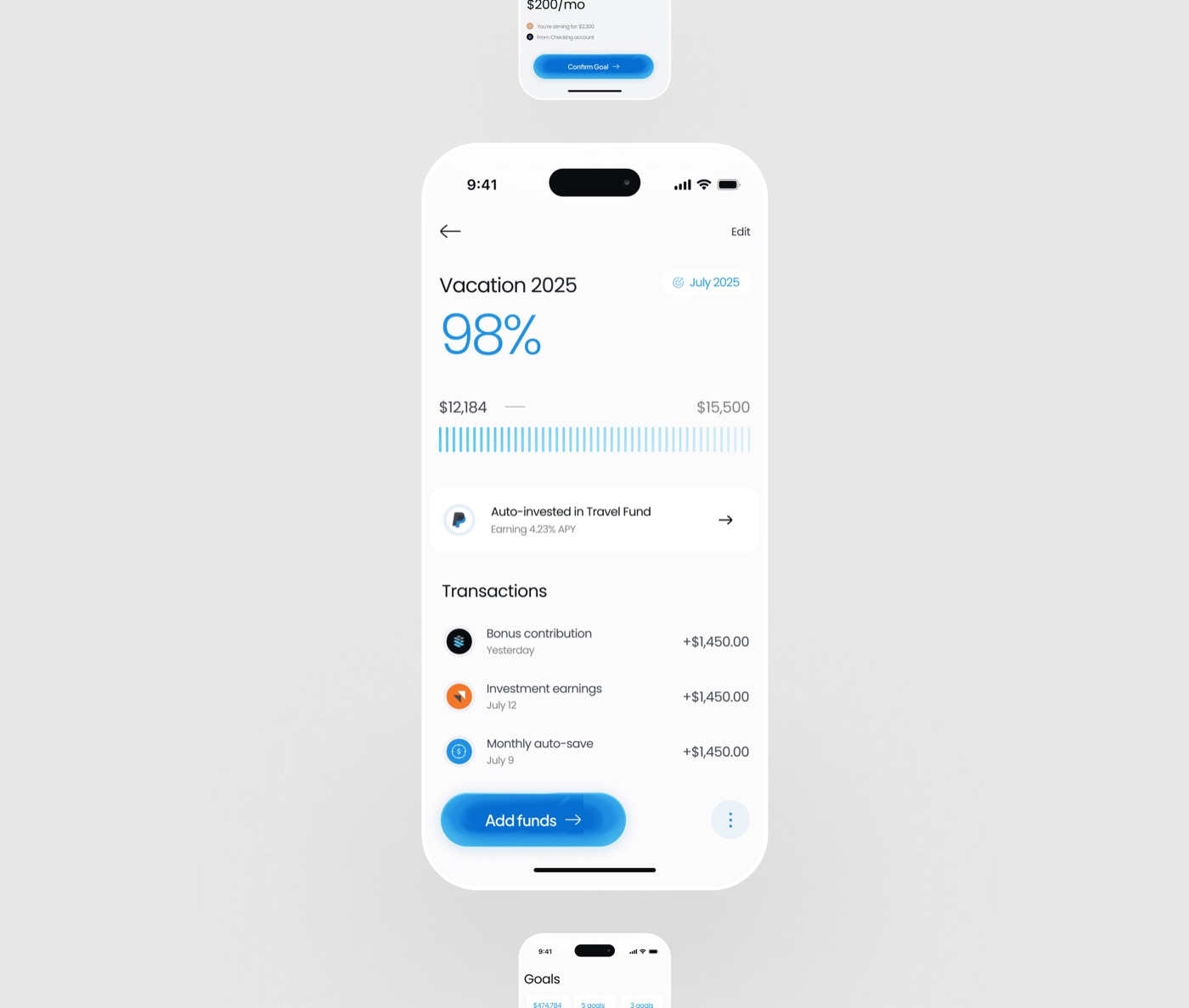
Every goal shows its percentage large, with a progress bar under it. At 98% the bar is nearly full, and that’s on purpose. It uses the Goal Gradient Effect: people push harder as they get close to the end.
04Decision 3 · Automate the deposit
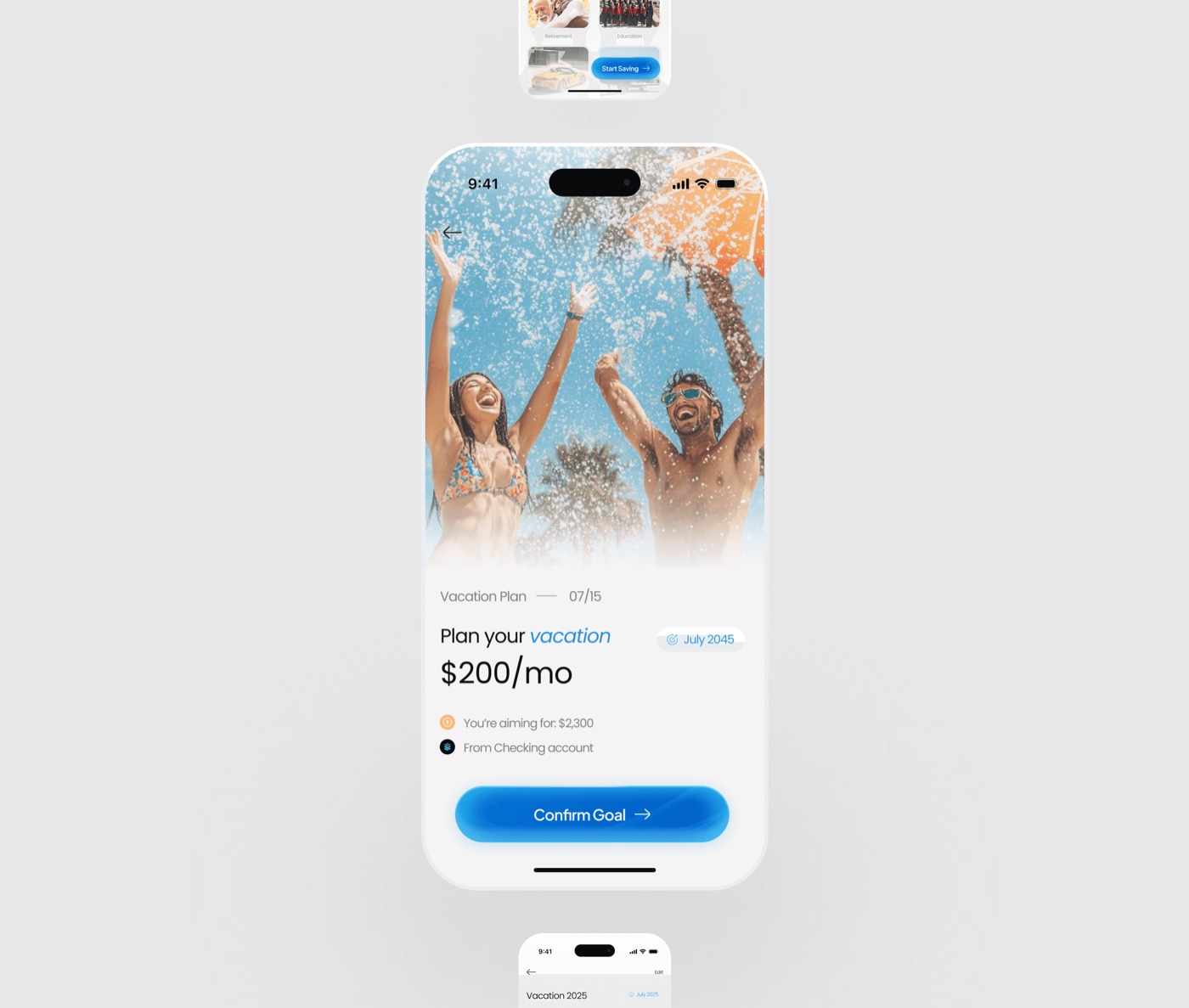
A recurring plan ($200 a month from a checking account in this example) removes the “pain of paying” from each deposit. That makes saving a habit loop. The only thing left for the user to do is celebrate the milestone.
RStage 4Result
- 200+People tested it
- Would saveWhat testers said the experience would get them to do
From user testing of the designed product; the amounts on the screens are sample data.
05Result
Delivered the product end to end, from the first user flows to the final visual system. Two proven behaviour patterns are designed in: the goal-gradient effect, which makes people push harder near the finish, and automatic deposits, which turn saving into a habit. 200+ people tested it, and it worked. They liked the saving experience, and they liked that it would encourage them to save, which is exactly what the goal-gradient progress and automatic deposits were designed to do. It’s built to move the number that matters for a savings app: goals reached, not just accounts opened. (The amounts on the screens are sample data.)